> ## Documentation Index
> Fetch the complete documentation index at: https://docs.spotflow.one/llms.txt
> Use this file to discover all available pages before exploring further.
# Create Spotflow Payment Links In Under 5 Minutes (No Code Required)
> This guide will help you create a Spotflow Payment Link in under 5 minutes with no code required.
Accepting online payments can feel complicated if you don’t have a website or payment gateway setup. Spotflow makes this simple with one powerful feature: Payment Links.
In this quick guide, you’ll learn how to create a secure payment link directly from the Spotflow Dashboard — no coding, plugins, or integrations required. This works perfectly for Instagram sellers, freelancers, event organizers, consultants, small businesses or any type of business.
## What You'll Learn
By the end of this guide, you’ll know how to:
* Log in to the Spotflow Dashboard
* Create a payment link
* Set pricing and details
* Share the link with customers
* Test payments
* Track payments in real time
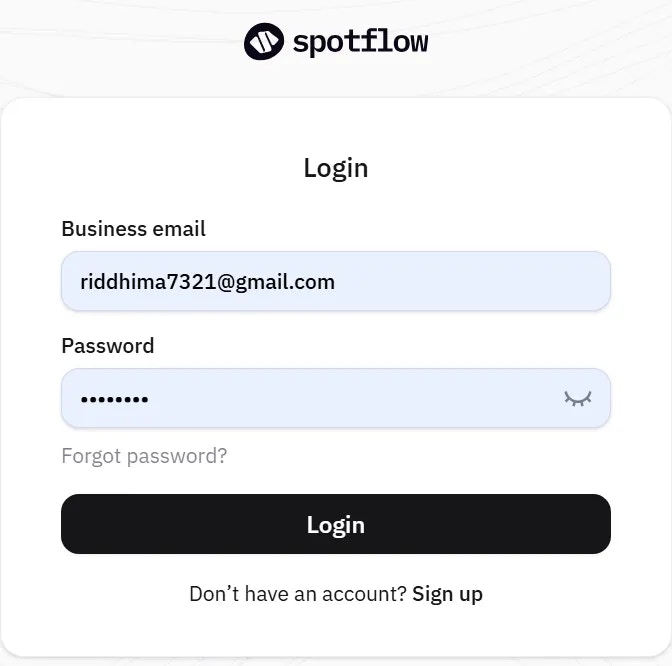
## Step 1: Log In to the Spotflow Dashboard
Log in to your [Spotflow account](https://app.spotflow.co/) or [Sign Up](https://app.spotflow.co/) if you don't have one.
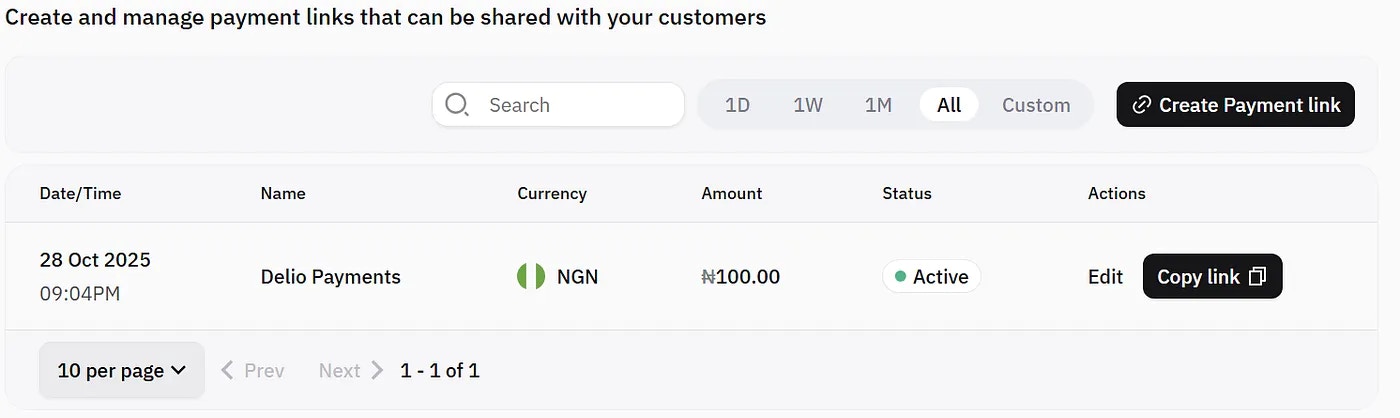
## Step 2: Open the Payment Links Page
From the left menu, click Payment Links. This page lets you generate shareable URLs for quick customer payments.
## Step 3: Create a New Payment Link
Click Create Payment Link and fill in:
* Title (product/service name)
* Description (short summary)
* Amount
* Currency
## Step 4: Configure Extra Settings (Optional)
You can:
* Allow customers enter any amount.
* Collect customer's phone number.
* Redirect user after payment.
## Step 5: Generate the Link
Once everything looks as you desire, click Create.
Spotflow instantly generates a secure checkout URL you can share through:
* WhatsApp
* Instagram DMs
* Email
* Facebook Messenger
* Telegram
Your customer just clicks and pays.
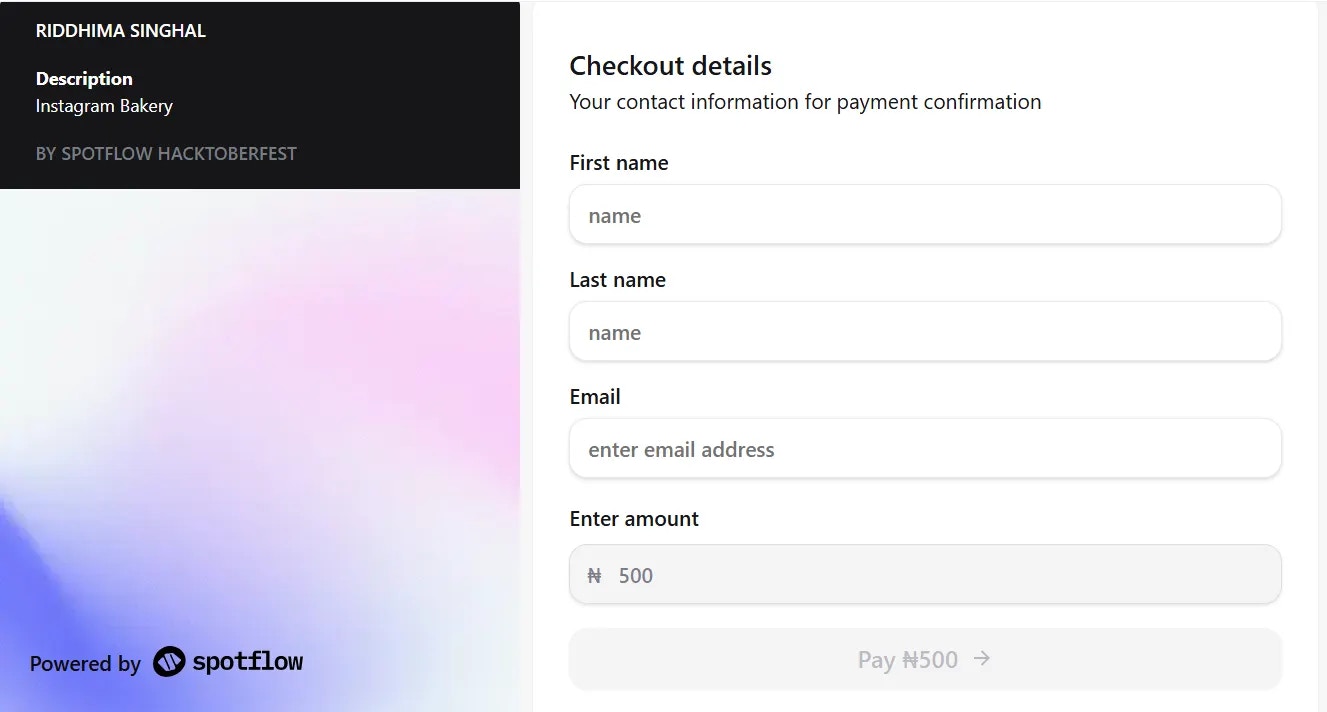
## Step 6: Test Your Payment Link
Spotflow includes a Test Mode, allowing you to simulate real payments without charging anything.
Create a payment link in test mode, open it and use the provided [test card details](https://docs.spotflow.one/testing-payment).
## Step 7: Track Payments in Real Time
According to the different currencies you created the payment link, head back to the Collections page on your dashboard to see:
* Payment status
* Timestamps
* Payment channels/methods
* Customer details
You can also configure webhooks for payment notifications:
* Go to Settings > Webhooks
* Add a webhook URL for payment notifications
* [Detailed Guide](/developer-resources/webhooks/overview)
This makes reconciliation quick and stress-free.
### Who Is This For?
Payment links are ideal for:
* Instagram sellers
* Freelancers
* Consulting sessions
* Donations
* Digital products
* Event tickets
* Course enrollments
If someone can click a link, they can pay you.
### Why Spotflow?
Compared to traditional gateways:
* Setup takes minutes
* No technical experience needed
* Clean, simple dashboard
* Mobile-friendly checkout
* Flexible configuration options
Most importantly: you get paid faster.
Contributed by [Riddhima Singhal](https://github.com/riddhima-7321) during Hacktoberfest '25 with Spotflow
 ## Step 2: Open the Payment Links Page
From the left menu, click Payment Links. This page lets you generate shareable URLs for quick customer payments.
## Step 3: Create a New Payment Link
Click Create Payment Link and fill in:
* Title (product/service name)
* Description (short summary)
* Amount
* Currency
## Step 2: Open the Payment Links Page
From the left menu, click Payment Links. This page lets you generate shareable URLs for quick customer payments.
## Step 3: Create a New Payment Link
Click Create Payment Link and fill in:
* Title (product/service name)
* Description (short summary)
* Amount
* Currency
 ## Step 4: Configure Extra Settings (Optional)
You can:
* Allow customers enter any amount.
* Collect customer's phone number.
* Redirect user after payment.
## Step 5: Generate the Link
Once everything looks as you desire, click Create.
Spotflow instantly generates a secure checkout URL you can share through:
* WhatsApp
* Instagram DMs
* Email
* Facebook Messenger
* Telegram
Your customer just clicks and pays.
## Step 6: Test Your Payment Link
Spotflow includes a Test Mode, allowing you to simulate real payments without charging anything.
Create a payment link in test mode, open it and use the provided [test card details](https://docs.spotflow.one/testing-payment).
## Step 4: Configure Extra Settings (Optional)
You can:
* Allow customers enter any amount.
* Collect customer's phone number.
* Redirect user after payment.
## Step 5: Generate the Link
Once everything looks as you desire, click Create.
Spotflow instantly generates a secure checkout URL you can share through:
* WhatsApp
* Instagram DMs
* Email
* Facebook Messenger
* Telegram
Your customer just clicks and pays.
## Step 6: Test Your Payment Link
Spotflow includes a Test Mode, allowing you to simulate real payments without charging anything.
Create a payment link in test mode, open it and use the provided [test card details](https://docs.spotflow.one/testing-payment).
 ## Step 7: Track Payments in Real Time
According to the different currencies you created the payment link, head back to the Collections page on your dashboard to see:
* Payment status
* Timestamps
* Payment channels/methods
* Customer details
You can also configure webhooks for payment notifications:
* Go to Settings > Webhooks
* Add a webhook URL for payment notifications
* [Detailed Guide](/developer-resources/webhooks/overview)
This makes reconciliation quick and stress-free.
### Who Is This For?
Payment links are ideal for:
* Instagram sellers
* Freelancers
* Consulting sessions
* Donations
* Digital products
* Event tickets
* Course enrollments
If someone can click a link, they can pay you.
### Why Spotflow?
Compared to traditional gateways:
* Setup takes minutes
* No technical experience needed
* Clean, simple dashboard
* Mobile-friendly checkout
* Flexible configuration options
Most importantly: you get paid faster.
## Step 7: Track Payments in Real Time
According to the different currencies you created the payment link, head back to the Collections page on your dashboard to see:
* Payment status
* Timestamps
* Payment channels/methods
* Customer details
You can also configure webhooks for payment notifications:
* Go to Settings > Webhooks
* Add a webhook URL for payment notifications
* [Detailed Guide](/developer-resources/webhooks/overview)
This makes reconciliation quick and stress-free.
### Who Is This For?
Payment links are ideal for:
* Instagram sellers
* Freelancers
* Consulting sessions
* Donations
* Digital products
* Event tickets
* Course enrollments
If someone can click a link, they can pay you.
### Why Spotflow?
Compared to traditional gateways:
* Setup takes minutes
* No technical experience needed
* Clean, simple dashboard
* Mobile-friendly checkout
* Flexible configuration options
Most importantly: you get paid faster.